What is Royal Towers?
1. Game Objective
The goal of Royal Towers is to climb a 5-row tower by flipping face-down cards to complete a Royal Flush (10, Jack, Queen, King, and Ace).
Advance: Reveal the designated Royal Flush card for the current row to move up.
Lose: Reveal a Joker, and the round ends immediately, resulting in a lost bet.
2. How to Play
Climbing the Tower: Each of the 5 rows represents a step in the Royal Flush.
Row 1: The 10
Row 2: The Jack
Row 3: The Queen
Row 4: The King
Row 5: The Ace
Difficulty Levels: Before starting a round, select a difficulty setting. This adjusts the ratio of Royal Flush cards to Jokers. Higher difficulty means fewer winning cards and more Jokers in each individual row, resulting in higher multipliers.
3. Betting and Payouts
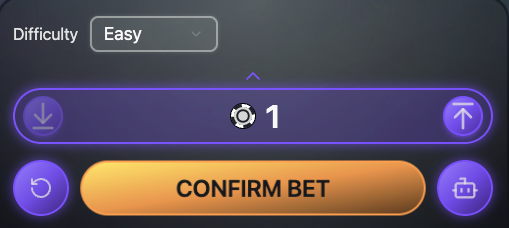
Players can choose a custom bet amount before starting a new round.
Bet Limits: The minimum bet that can be placed during any given round is 1 Chip
Maximum Payout: The maximum multiplier of 984x can be achieved by climbing to the top of the tower at the hardest difficulty.
Cashing Out: You can click Cash Out at any time after clearing a row to secure your current winnings. If you complete all 5 rows, the game automatically cashes you out at the maximum multiplier shown.
4. Special Features
Jackpot: * 1.0% of every bet is added to the Jackpot pool.
To win, you must reveal a Golden Card.
The chance of encountering a Golden Card increases at higher difficulty levels.
The current amount in the Jackpot pool is shown in the top-left corner of the screen.
Auto Play: * Automate your gameplay by setting a fixed bet amount and a specific number of rounds. This can be accessed by tapping on the Robot icon in the bottom-right hand corner of the screen prior to starting to a new round.
Pre-select which cards to flip in each row.
The system will automatically cash out upon clearing the tower.
Note: Auto Play is disabled if you lose connection.
5. Connectivity and Settings
Progress Saving: If you disconnect during a climb, your progress is saved. You can resume the round from the exact same spot once you reconnect.
Graphics & Sound: These can be adjusted in the settings menu in the top-left, you can disable the mascot pop-up during play by toggling the setting to "Off"